 Birthday Radar
For iPhone and iPad
Never miss a big day.
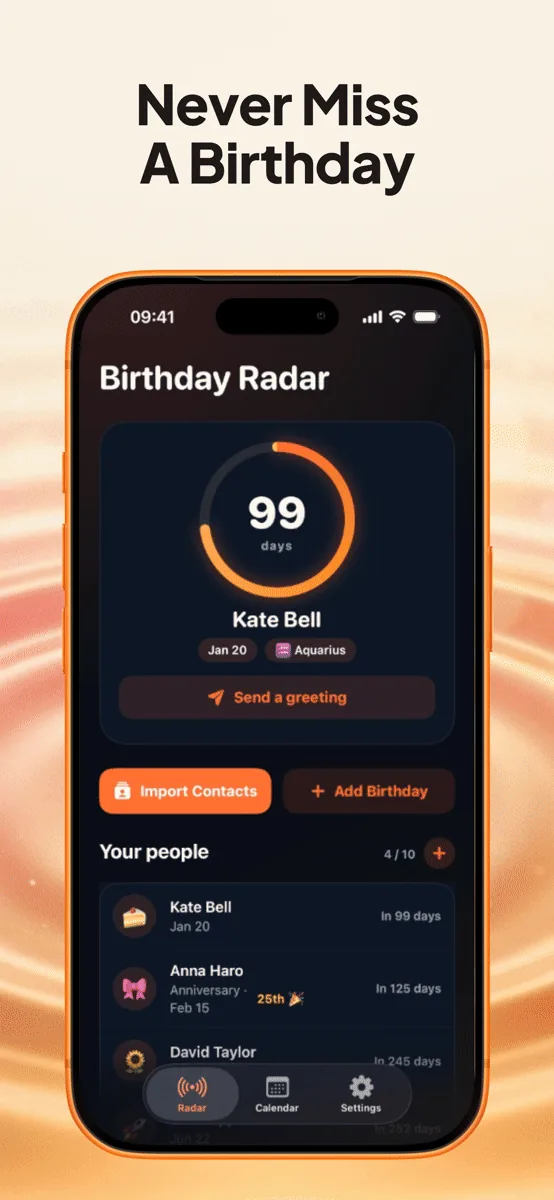
Birthday Radar keeps every birthday, anniversary, and milestone on one calm screen, reminds you early enough to act, and hands you the words when the day arrives.
Free for up to 10 people. No account, ever.
Remembering, handled.
Everything you need to show up for the people who matter — and nothing you don't.
Alerts that arrive early
A reminder on the day, plus heads-ups 1, 3, or 7 days before.
A greeting in two taps
55 ready-to-send messages for birthdays and beyond.
Every occasion, not just birthdays
Anniversaries, weddings, graduations, memorials, and your own.
Milestones, spotlighted
Big ages and round anniversaries get the big treatment.
Gift ideas that go somewhere
Track each idea from idea to bought to given.
Notes that help you shop
Sizes, likes, dislikes, and context — all on their card.
See it in action
Real screens from the app.
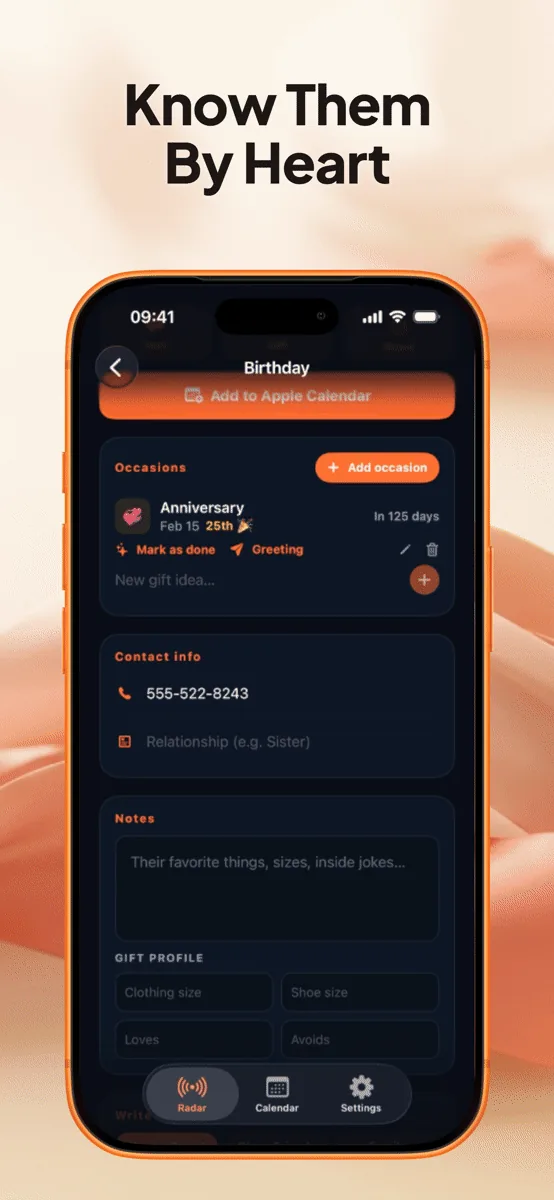
Everything about one person, in one card. 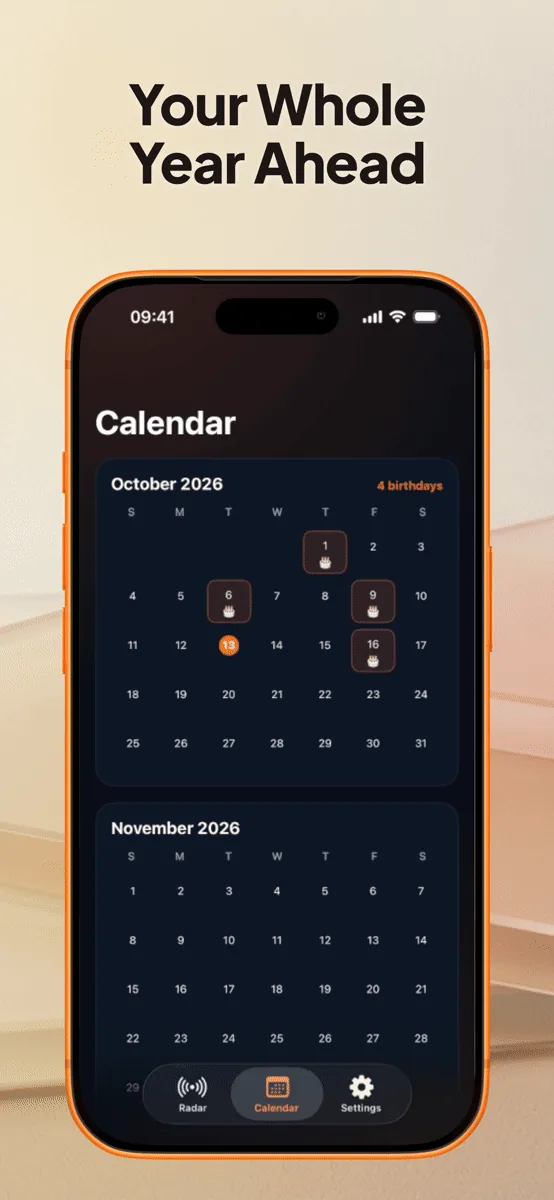
The whole year at a glance. 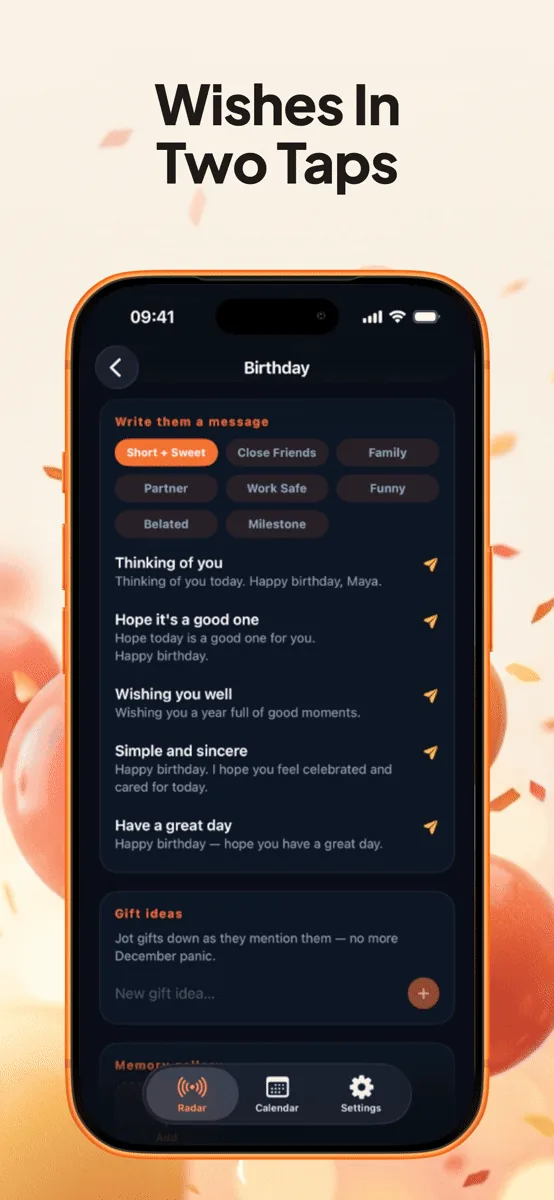
55 greetings, ready to send.
Our privacy promise
Your people stay on your phone.
Birthday Radar has no accounts, no servers, and no analytics. The birthdays you import, the notes you write, and the photos you add never leave your device.
Purchases go through Apple. Our subscription provider sees an anonymous ID and your purchase history — never your contacts or birthdays.
- No account or sign-in
- No tracking or ads
- Delete the app and everything is gone
Questions, answered
Is Birthday Radar free?
Yes. Birthday Radar is free for up to 10 people, with every core feature included. Premium removes the limit for $1.99 a month, $14.99 a year, or $29.99 once for lifetime access (US prices; your local App Store price may differ).
Do I need to create an account?
No. There is no account, no sign-in, and no email address required. You open the app and start adding people.
Where is my data stored?
Only on your device. Birthday Radar has no servers and no sync, so names, dates, photos, notes, and gift ideas never leave your iPhone or iPad. Your regular iCloud or computer backup includes them.
Does it track anniversaries and other occasions?
Yes. Open anyone's card and tap Add occasion to track an anniversary, wedding, graduation, memorial, or anything custom. Each occasion gets its own countdown, alerts, and gift list.
How do I restore Premium on a new device?
Open Birthday Radar, go to Settings, tap Birthday Radar Premium to open the plans screen, then tap Restore Purchases. Use the same Apple ID you bought Premium with.
The next big day is already on its way.
Free for up to 10 people. Set up in a minute with your contacts.